Why Include a ‘Custom Thank You/Order Page’?

WooCommerce comes with a standard thank you page that only displays the default message and order details. But that isn’t appealing, and you can’t add your own message. To have more functions, something custom must be used.
Customizing the thank you page or adding a custom thank you page can be confusing if you’ve just started a WooCommerce store.
The thank you page is the final step in the buyer’s journey. As a result, it is natural to wonder why someone would include a custom thank you page. You can, of course, display the default message with the default thank you page, but this will not provide your customers with a positive experience.
A custom thank you page allows you to display personalized messages, links, videos, and other media that delight customers and encourage them to take action.
Can You Change WooCommerce’s Default Thank You/Order Page?
People frequently ask how to change the default WooCommerce thank you page. When you know how to code, you can easily customize the default one. Or, at the very least, you should be familiar with PHP’s functions.
Step-by-Step Instructions for Creating a Custom Thank You/Order Page
There are several options for creating a custom thank you page or customizing an existing thank you page. People frequently use a dedicated plugin to add a customized thank you page. However, this will be prohibitively expensive and will not be a viable solution.
Alternatively, you can use NextWoo, which comes with a slew of WooCommerce-specific features. A custom thank you page is one of the most popular features and functions. It is not necessary to write any code in order to implement the custom thank you page.
Step 1: Install NextWoo
NextWoo is a WooCommerce Builder to build Single Product, Cart, Checkout, My Account, Shop Loop, Related product, Quickview, Up-sell, Cross sale with Elementor or Gutenberg.
The first step to add a custom thank you page is installing NextWoo. Just go to the WordPress dashboard and hover over the plugins.
Step 2: Add the Custom Thank You Page Template
After selecting NextWoo’s pro plan, you can select a ready template for the custom WooCommerce thank you page. The good news is that you will have virtually limitless customization options with the template.
Navigate to NextWoo from your WordPress dashboard’s plugins list.
Select Builder Templates from NextWoo, and a list of all NextWoo ready templates will appear.
Select the Order / Thank you template from the template list, as shown in the video. Save the template and set it as the default.
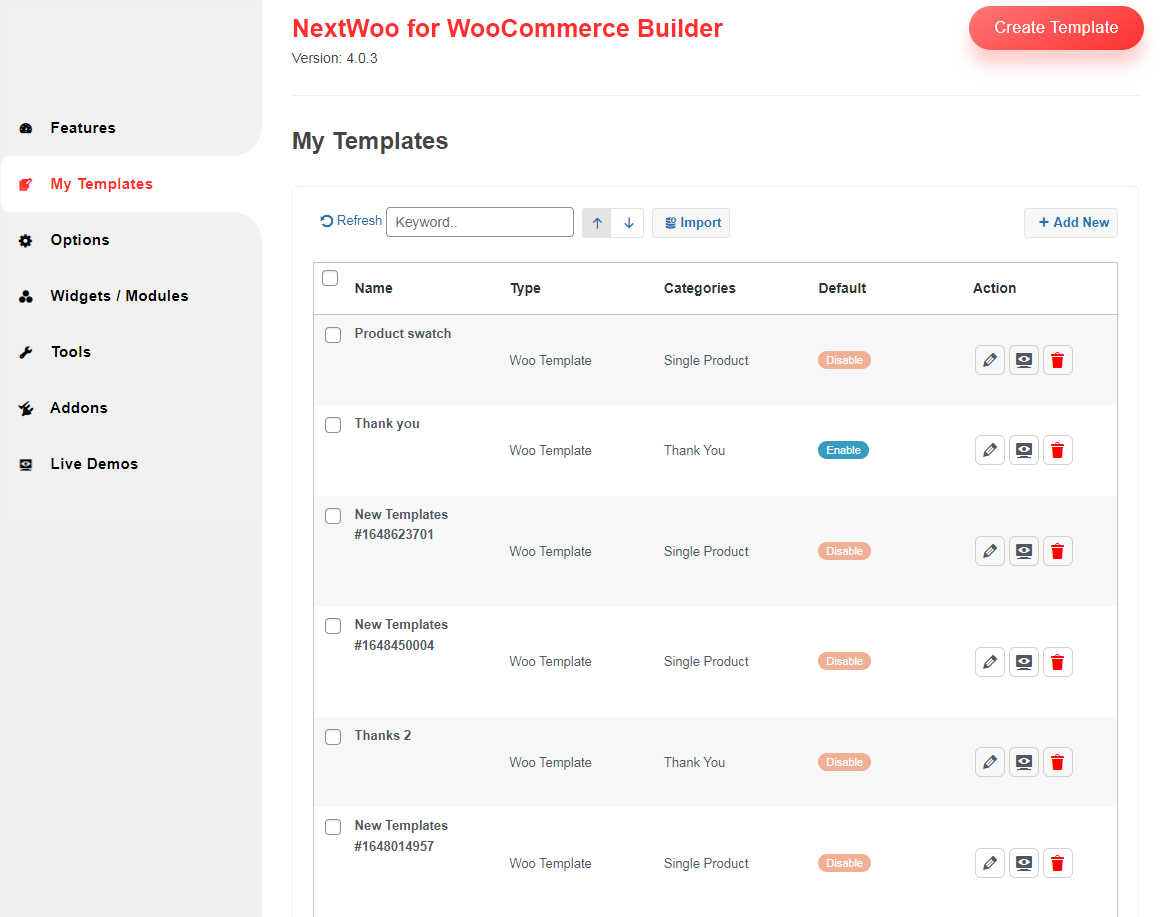
Click to Add New Button, then open a popup modal.

After following step:
- Enter your template name
- Select type of Templates
- Select Editor Gutenberg / Elementor
- Enable/Disable Set Default [Apply this templates by default ]
Watch this video and follow the method if you find any difficulties in the installation.
Step 3: Chosse Ready Template
If you can use ready templates, then you select a template and click Insert Button
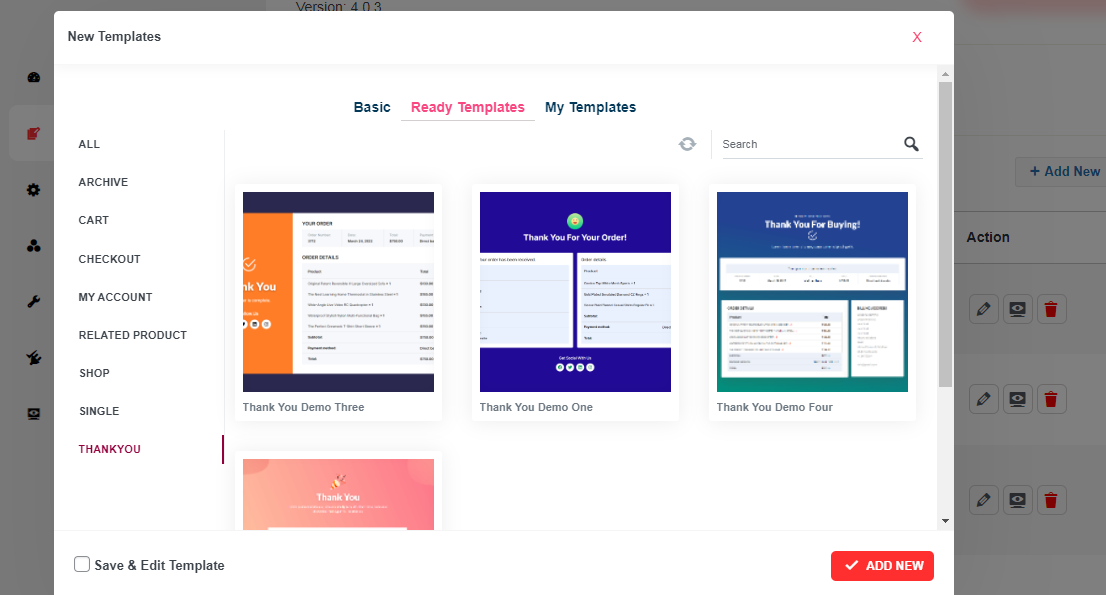
Step 4: Open Editor for Customize/Add New Content
There are two of Editor(Elementor/Gutenberg) for build template. If you choose Gutenberg then Edit With Gutenberg Or Edit with Elementor.
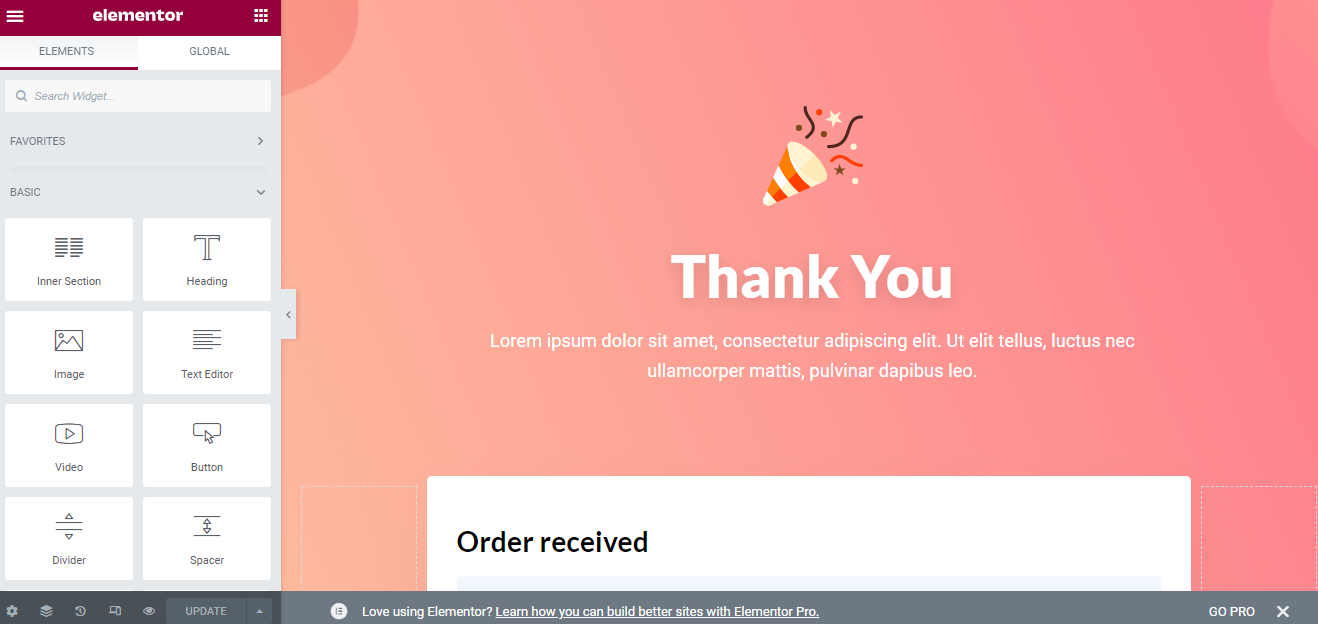
Step 5: Preview the Thank You Page for a Demo Order
Finally, your WooCommerce store’s custom thank you page is complete. You can test how the thank you page looks for an order before finalizing and publishing it.
Simply place a demo order from your store, and the custom thank you page will appear after you complete the order.


Comments
Post a Comment